 how-to
How to Prepare Your HVAC System for Extreme Summer Heat
Table of Contents
- AC Maintenance Checklist for Summer: What to Do Before the Heat Hits
- How to Prepare Your HVAC System for Extreme Summer Heat with Thermostat Settings
- Signs of HVAC System Failure in Heat: What to Watch For
- Benefits of Smart Thermostat Installation for Heatwave Management
- Improve Airflow Efficiency and Insulation to Reduce Thermal Gain
- Emergency DIY Troubleshooting When Your AC Fails in a Heatwave
- Conclusion: Schedule Professional HVAC Maintenance Before Peak Demand
- Frequently Asked Questions
Last Updated: September 17, 2026
AC Maintenance Checklist for Summer: What to Do Before the Heat Hits
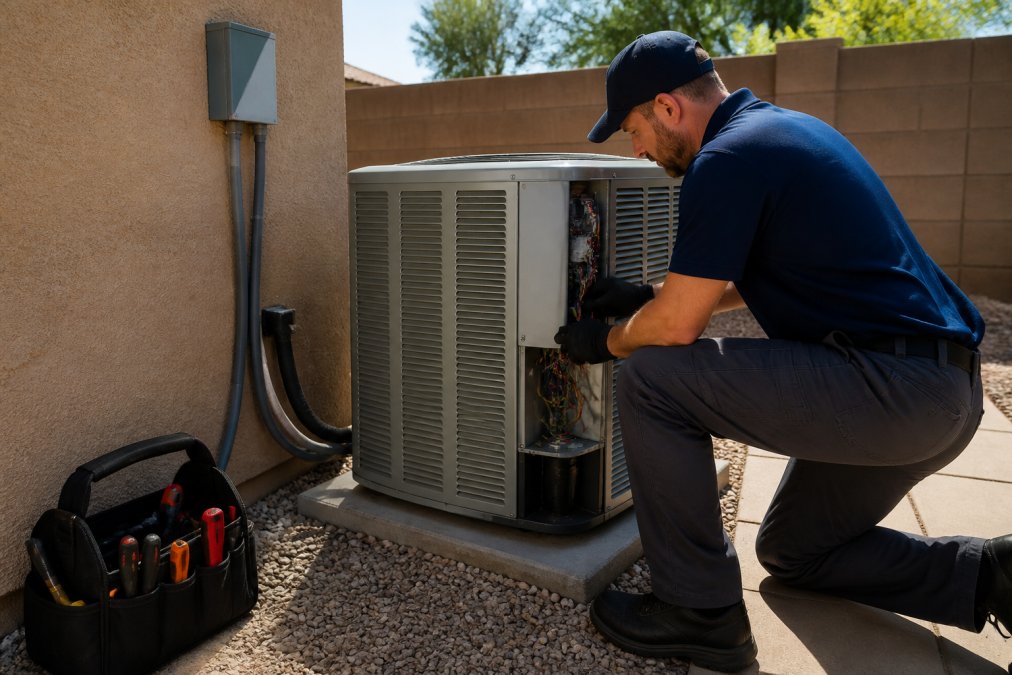
Learning how to prepare an HVAC system for extreme summer heat starts with one hard truth: most breakdowns happen on the hottest day of the year, not a random Tuesday. This guide from RTS Comfort Cooling & Heating walks you through the exact steps to take before peak demand hits. A solid HVAC summer prep routine takes an afternoon. It can save you a miserable, expensive emergency later.
Step 1: Replace Your Air Filter
A clogged air filter is the single most common cause of poor cooling. It chokes airflow and forces the blower motor to work harder.
Here is what to do:
- Turn the system off at the thermostat first
- Note the filter size printed on the old frame
- Slide the new filter in with the arrow pointing toward the unit
- Check it every 30 days during heavy use
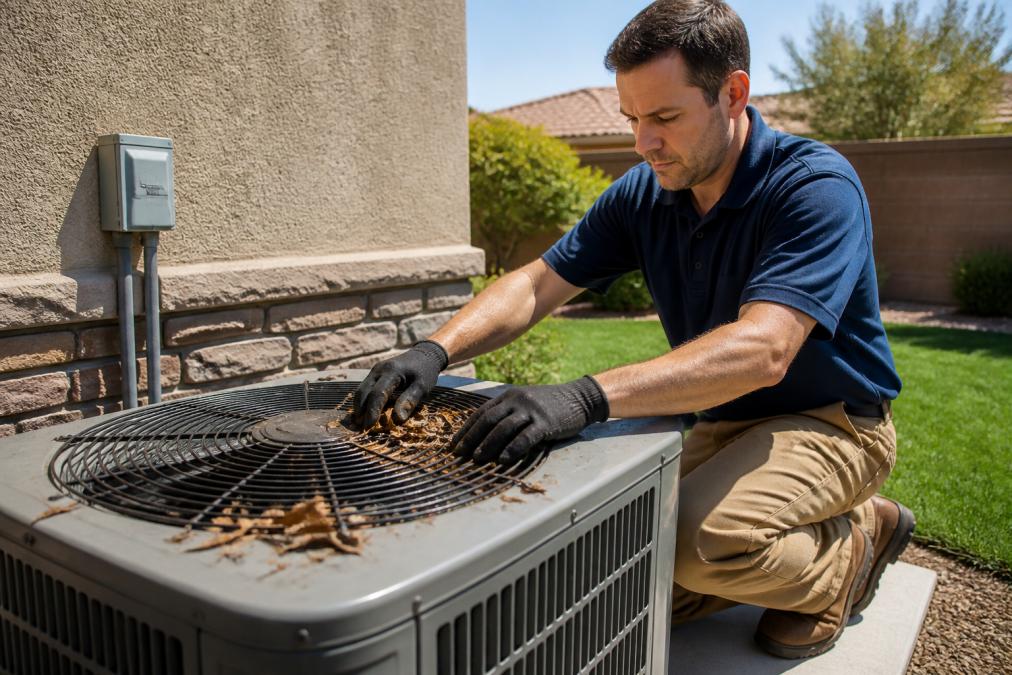
Step 2: Clean the Outdoor Condenser Coils and Clear Debris
The outdoor unit dumps heat, so it needs room to breathe. Dirty condenser coils trap heat and cut cooling capacity.
Follow these steps:
- Cut power at the disconnect box
- Remove leaves, grass clippings, and debris from the top
- Rinse the coils with a garden hose from the inside out
- Keep plants and shrubs at least two feet away
Step 3: Check Refrigerant Levels and Electrical Components
Low refrigerant means the system runs longer and cools less. Only a licensed HVAC technician should check or add refrigerant.
What you can inspect yourself:
- Look for oil streaks or ice on the copper lines
- Check the capacitor for bulging or burn marks
- Tighten loose wire connections at the disconnect
- Listen for unusual humming or buzzing
How to Prepare Your HVAC System for Extreme Summer Heat with Thermostat Settings
Thermostat settings decide how hard your system works during peak demand. Set it too low and the compressor never rests. Set it thoughtfully, and you can cut runtime without sacrificing comfort.
The baseline approach is simple:
- Set the thermostat to 78°F when you are home
- Raise it 4 to 7 degrees when you leave
- Use ceiling fans to feel cooler at higher settings
- Avoid big swings that force long run cycles
Pre-Cooling: The Strategy Competitors Don't Explain
During a heatwave, utility demand peaks in the late afternoon, typically between 4 p.m. and 9 p.m. That is when electricity is most expensive and when the grid is most likely to ask customers to reduce load. A smart thermostat can pre-cool your home to 72°F or 73°F in the early afternoon, then let the temperature drift up to 78°F during peak hours.
Smart Thermostat Features That Matter in a Heatwave
Not all smart thermostats handle extreme heat the same way. Look for these capabilities:
- Peak-demand scheduling, lets you set different setpoints for peak vs. off-peak hours
- Geofencing, detects when you leave and eases off automatically, then cools before you return
- Runtime alerts, notifies you when the system runs abnormally long, which is an early sign of a failing compressor
- Humidity tracking, shows indoor relative humidity, which matters more than temperature for how cool a room feels
- Utility integration, connects to your utility's demand-response program for bill credits
The Efficiency vs. Longevity Trade-Off
A programmable or smart thermostat handles this automatically. It learns your schedule and adjusts without you thinking about it. That single habit reduces energy consumption and eases strain on the compressor, and it is the difference between a system that survives the summer and one that fails in August.
Signs of HVAC System Failure in Heat: What to Watch For
Catching warning signs early is the difference between a tune-up and a full system breakdown. Watch for these signals:
- Warm air blowing from the vents
- Weak airflow at every register
- Strange rattling, grinding, or squealing
- Frequent cycling on and off
- Ice on the indoor or outdoor unit
- A spike in your energy bills with no change in use
Benefits of Smart Thermostat Installation for Heatwave Management
Smart thermostat installation gives you control you cannot get from a basic unit. These devices adjust for weather, occupancy, and peak demand automatically.
The main benefits:
- Remote control from your phone, even while traveling
- Automatic setbacks that cut energy consumption
- Alerts when the system runs abnormally long
- Humidity tracking for better home comfort
- Integration with smart home systems for heatwave automation
Improve Airflow Efficiency and Insulation to Reduce Thermal Gain
Airflow efficiency and insulation work together to keep heat out. Poor attic insulation lets thermal gain overwhelm your cooling system. But there is a third factor most guides ignore: humidity. In a heatwave, humid air holds heat and makes your system work harder to remove both. Managing all three, airflow, insulation, and moisture, is what separates a comfortable home from one that never quite cools down.
Start with the Building Envelope
The envelope is your first line of defense against thermal gain. Fix it before you touch the thermostat.
- Seal gaps around doors and windows with weather stripping and caulk
- Add insulation to the attic to block heat from above, in most climates, R-38 to R-60 is the target for attic floors
- Seal and balance ductwork to stop leaks, leaky ducts in an unconditioned attic can lose a significant share of the air you paid to cool
- Keep interior doors open so air circulates
- Clear furniture away from vents and returns
Why Humidity Control Belongs in This Section
Extreme heat often arrives with high humidity. Your AC removes moisture as a byproduct of cooling, but when the system short-cycles, running in short bursts instead of long, steady cycles, it never runs long enough to pull moisture out of the air. The result is a house that feels clammy even at 75°F.
The fix has two parts:
- Slow the system down. A variable-speed blower or a multi-stage compressor runs longer at lower output, which removes more moisture per cycle. If your system is single-stage, a standalone dehumidifier is the practical workaround.
- Target 40% to 50% relative humidity. Above 55%, comfort drops fast and mold risk rises. A cheap hygrometer or a smart thermostat with humidity tracking tells you where you stand.
Ventilation and Pressure Balance
| Problem | DIY Fix | When to Call a Pro |
|---|---|---|
| Clogged filter | Replace it yourself | Never needed |
| Dirty condenser coils | Rinse with garden hose | Heavy buildup or bent fins |
| Low refrigerant | Not a DIY task | Always |
| Leaky ductwork | Seal visible gaps | Widespread leaks |
| Poor insulation | Add attic layers | Full attic assessment |
| Electrical faults | Visual check only | Any damage or smell |
| High indoor humidity | Run a dehumidifier, check for short cycling | System sizing or blower issues |
Ventilation matters too. A properly sealed home holds its cool air longer, so the system runs less. That reduces both energy bills and wear on the compressor.
Emergency DIY Troubleshooting When Your AC Fails in a Heatwave
When the AC quits on a 110°F day, you need fast answers. Try these steps before you call for help:
- Check the thermostat batteries and settings
- Confirm the breaker and disconnect are on
- Replace a dirty filter if airflow is weak
- Clear any debris blocking the outdoor unit
- Look for a tripped float switch on the drain line
Conclusion: Schedule Professional HVAC Maintenance Before Peak Demand
Heatwaves expose every weak point in a system, and peak demand is when repairs cost the most and take the longest. A professional HVAC maintenance visit before summer catches small problems while they are still cheap to fix. It also keeps your cooling capacity where it needs to be when temperatures climb.
Frequently Asked Questions
What temperature should I set my thermostat to during extreme summer heat?
The U.S. Department of Energy recommends setting your thermostat to 78°F when you're home and higher when you're away. Each degree you raise it above 72°F can save roughly 3-5% on cooling costs. During a heatwave, avoid setting it below 72°F because your system will run continuously without reaching the setpoint, increasing energy consumption and wear on the compressor. A smart thermostat helps you manage these settings automatically based on your schedule and outdoor temperatures.
How often should I change my air filter during summer?
During peak summer months, check your air filter every two to four weeks and replace it when it looks gray or clogged. Standard 1-inch fiberglass filters typically need monthly replacement in high-use periods. If you have pets or live in a dusty area, change them more often. A dirty filter restricts airflow efficiency, forces the blower motor to work harder, and can cause the evaporator coil to freeze, leading to a system breakdown when you need cooling most.
What are the most common signs of HVAC system failure in extreme heat?
Watch for weak airflow from vents, warm air blowing instead of cool, unusual noises like grinding or screeching, frequent cycling on and off, and rising energy bills without a change in usage. Ice buildup on the indoor coil or refrigerant lines is another warning sign. If your system runs constantly but your home won't drop below 80°F on a 110°F day, the compressor or refrigerant levels may be failing. Call a licensed HVAC technician before total failure occurs.
Can a smart thermostat really lower my energy bills during a heatwave?
Yes. Smart thermostats learn your schedule and adjust temperatures automatically, reducing cooling when you're away. Many utility companies offer demand response programs that pair with smart thermostats to slightly raise temperatures during peak demand events, saving you money. The benefits of smart thermostat installation also include real-time energy tracking and remote control, so you can cool your home before you arrive without running the AC all day. Professional installation ensures compatibility with your existing system wiring.
Extreme heat does not wait, and neither should your HVAC prep. RTS Comfort Cooling & Heating delivers reliable climate control, improved indoor air quality, and immediate help for emergency repairs across the Las Vegas area. From smart thermostat installation to attic insulation, our team keeps your system running at its best. Call (702) 707-4242 for a free estimate and get ahead of the heat today.