 how-to
Smart Thermostat Programming for Energy Savings
Table of Contents
- How Smart Thermostat Programming Saves Energy
- What You'll Need Before You Start Programming
- Step 1: Set Recommended Thermostat Settings for Summer
- Step 2: How to Use Geofencing for Energy Savings
- Step 3: Smart Thermostat Energy Saving Tips
- Common Programming Mistakes That Waste Energy
- When to Call a Professional for Help
- Frequently Asked Questions
Last Updated: September 12, 2026
How Smart Thermostat Programming Saves Energy
Smart thermostat programming for optimal energy savings works by cutting runtime when nobody needs conditioned air, then restoring comfort before you notice the gap. At RTS Comfort Cooling & Heating, we install and configure these systems across the Las Vegas valley, and homes that run a deliberate schedule instead of a fixed temperature see the biggest drops in energy consumption. The U.S. Department of Energy's guidance on thermostat setbacks confirms a well-planned schedule trims heating and cooling loads without sacrificing thermal comfort.
How Smart Thermostats Work
A smart thermostat is a climate control device that learns your routine, senses occupancy, and adjusts temperature setpoints automatically to reduce energy consumption using temperature sensors, motion detection, and network connectivity.
The hardware is simple: a temperature sensor, a relay that switches your HVAC equipment on and off, and a Wi-Fi radio. The intelligence sits in the software, where algorithms track how long your home takes to cool or heat and build a schedule matching your actual patterns.
What separates a smart thermostat from a basic programmable unit is feedback: a programmable unit runs whatever schedule you enter, even on vacation, while a learning thermostat notices the empty house and backs off.
Smart Algorithms and Adaptive Recovery
Adaptive recovery makes aggressive setbacks practical. Instead of waiting until 6 a.m. to start cooling, the thermostat calculates how long your HVAC system needs to reach the target setpoint and starts early, so you wake up comfortable without running the system all night.
The savings potential of a setback depends on whether you actually let the temperature drift. Homeowners who set a deep setback but crank the thermostat down manually an hour before arriving home erase most of the benefit. Adaptive recovery handles that transition automatically.
What You'll Need Before You Start Programming
Before you touch a single setting, confirm your thermostat model, HVAC system type, and utility rate structure. Skipping this step is the most common reason programming fails.
- Thermostat model number and app login credentials
- Your HVAC system type (single-stage, multi-stage, heat pump, or zoned)
- A copy of your utility bill showing your rate plan
- Your household's weekday and weekend occupancy pattern
- The wire labels from your old thermostat (if you're replacing one)
Check compatibility first. Multi-stage and heat pump systems require thermostats that support auxiliary and emergency heat terminals, and a single-stage-rated unit will not control a two-stage compressor correctly. If your wiring lacks a C-wire, the thermostat may need a power adapter or professional install.
Step 1: Set Recommended Thermostat Settings for Summer
The recommended thermostat setting for summer is 78°F when you're home and 85°F when the house is empty (energy.gov). That range keeps indoor humidity manageable while cutting compressor runtime during the hottest part of the day. The U.S. Department of Energy's guidance on thermostat setbacks supports this range as a starting point, not a fixed rule.
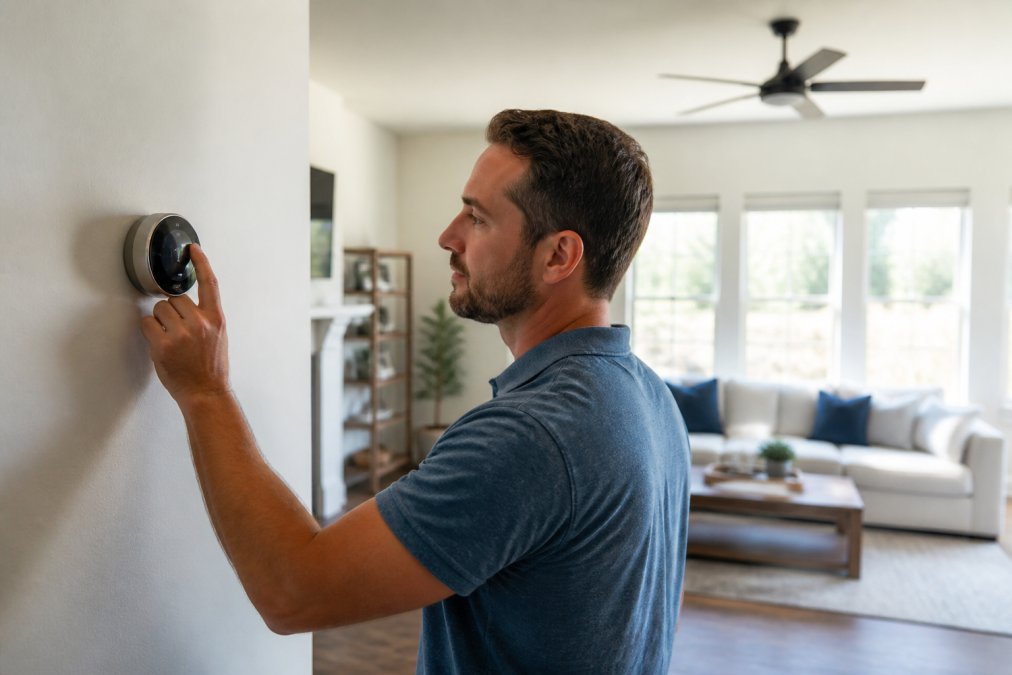
Every degree you raise the setpoint above 72°F reduces cooling costs, though comfort becomes a tradeoff past 80°F (energy.gov). Start at 78°F and adjust in one-degree increments over a week; if family members complain, you've found your ceiling.
Why Your HVAC Type Changes the Setpoint Math
The 78°F/85°F rule assumes a single-stage compressor. It breaks down for two system types:
- Heat pumps (cooling mode): A heat pump moves heat rather than generating it, so it runs longer, gentler cycles. Deep setbacks work well, but a heat pump with electric resistance auxiliary heat will trigger that strip during recovery if you set it too aggressively. Keep the recovery ramp gradual, no more than 2°F per hour, so the compressor handles the pull-down without auxiliary heat.
- Two-stage and variable-speed systems: These run at low capacity most of the day, so a deep setback forces a high-capacity recovery cycle that can be less efficient than idling at low speed. A 3°F to 4°F setback often beats a 7°F setback on total energy use.
- Single-stage furnaces and AC: The classic deep setback applies. These systems only run at full capacity, so runtime is the only lever, and cutting runtime is the whole game.
If you don't know your system type, check the model number on the outdoor condenser or air handler and look it up. This is the most common reason a schedule that works for a neighbor doesn't work for you.
Day and Night Programming Schedules
A workable summer schedule looks like this:
| Time Block | Setpoint | Reason |
|---|---|---|
| 6:00 a.m. - 8:00 a.m. | 76°F | Morning comfort before departure |
| 8:00 a.m. - 4:00 p.m. | 85°F | Empty house, maximum setback |
| 4:00 p.m. - 10:00 p.m. | 78°F | Occupied evening hours |
| 10:00 p.m. - 6:00 a.m. | 80°F | Sleep comfort, lighter load |
Timing Recovery Around Time-of-Use Rates
If your utility charges more during peak demand hours, commonly late afternoon through early evening, the recovery cycle is where you lose the savings you just earned, because a thermostat pulling the house down to 78°F at 4:00 p.m. runs the compressor at the hour your rate is highest.
Two adjustments fix this:
- Pre-cool before the peak window. Drop the setpoint 2°F to 3°F in the hour before peak rates begin, then let the temperature drift up through the peak window; the thermal mass of your home carries you through the expensive hours.
- Delay recovery until after peak. If your utility's peak window ends at 7:00 p.m., schedule recovery for 7:00 p.m. rather than 4:00 p.m., trading a slightly warmer house for a lower bill.
Check your utility bill or rate plan for exact peak hours. Most smart thermostat apps let you enter these windows directly, and the thermostat will avoid heavy cycles during them.
Humidity: The Setpoint You Can't See
In a humid climate, 78°F at 60% relative humidity feels warmer than 78°F at 45%. A thermostat that only controls temperature will run longer cycles to chase a setpoint that feels wrong, and you'll override it, erasing the savings.
If your system includes a whole-home dehumidifier or variable-speed air handler, set the thermostat's humidity target to 50% to 55% and let it manage moisture independently of temperature, so you can hold a higher dry-bulb setpoint without discomfort. Without humidity control, expect a lower setpoint in humid months.
Step 2: How to Use Geofencing for Energy Savings
Geofencing uses your phone's location to tell the thermostat when you're away, triggering an automatic setback without manual input: leave the geofence radius and the system switches to an away setpoint; re-enter and it resumes your comfort schedule. Whether you save energy depends on how geofencing interacts with your schedule and the other people in your house.
Geofencing vs. Schedule-Based Programming
Schedule-based programming follows fixed times; geofencing follows actual presence. The best setup uses both, with a clear rule for which wins.
A common pattern that works well:
- Schedule is the baseline. It sets occupied and unoccupied setpoints for predictable hours.
- Geofencing overrides the schedule only when it detects an empty house. If the schedule says "occupied" but every registered phone is outside the radius, the thermostat drops to the away setpoint.
- Geofencing does not override the schedule when someone is home. If the schedule says "away" but a phone is inside the radius, the thermostat stays at the comfort setpoint, preventing the classic problem of a rigid schedule cooling an empty house on a day you stayed home sick.
If your household keeps consistent hours, a schedule alone captures most of the savings. If your comings and goings vary, geofencing prevents wasted runtime a rigid schedule can't anticipate. Most current thermostats run both simultaneously with the override logic above.
Call (702) 707-4242 for a free estimate →
The Multi-User Problem Nobody Warns You About
Geofencing only works if every person who matters carries a registered phone. A spouse who leaves their phone at home keeps the system in occupied mode all day. A teenager who leaves their phone in their room while the family goes out does the same.
Three fixes, in order of reliability:
- Register every adult's phone. Most apps support multiple users, and each phone counts as a presence signal.
- Use "last person leaves" logic, not "first person leaves." Some apps default to triggering away mode when any phone exits the radius, which sets back the house while someone is still inside. Switch to the mode that waits for all registered phones to exit.
- Add a motion or occupancy sensor as a backstop. A remote occupancy sensor in the main living area catches the case where a phone is left behind but the house is genuinely empty, and the opposite case where someone is home without a phone.
Tuning the Geofence Radius
A radius that's too small triggers away mode every time you walk to the mailbox; one that's too large doesn't trigger until you're already on the highway, wasting the first 20 minutes of your commute.
Start with a radius covering your immediate neighborhood, roughly a half-mile to a mile, then adjust based on two observations:
- If the thermostat enters away mode while you're still in the driveway, the radius is too small.
- If it's still in occupied mode when you're a mile from home, the radius is too large.
Some apps let you set separate "away" and "home" radii, creating a buffer that prevents rapid toggling near the boundary.
Geofencing and Recovery Timing
Geofencing triggers recovery the moment you re-enter the radius, so a short commute may leave the house at the away setpoint when you walk in. Two fixes:
- Enable adaptive recovery alongside geofencing. The thermostat learns your typical return time and starts cooling before you cross the boundary.
- Set a "returning home" notification. Some apps ping you when you cross the radius, so you expect a warm house for the first 15 to 20 minutes.
If neither is available, a schedule starting recovery 30 minutes before your typical arrival is a reasonable fallback, geofencing still catches the irregular days.
When Geofencing Isn't Worth It
Geofencing adds complexity, and complexity is a failure mode. Skip it if:
- Someone is almost always home. A work-from-home household or one with a stay-at-home parent gets little benefit, because the house is rarely empty during peak hours.
- Your household has irregular but overlapping schedules. If one person leaves at 7 a.m. and another returns at 9 a.m., the house is empty only two hours, not enough to justify the setup.
- You don't trust the app's location tracking. If battery optimization kills background location, geofencing silently fails. Test it for a week before relying on it.
Step 3: Smart Thermostat Energy Saving Tips
The biggest energy saving tips go beyond the thermostat itself. Pairing your programming with HVAC maintenance and home envelope improvements multiplies the effect.
- Seal air leaks around doors, windows, and attic hatches before optimizing setpoints. A leaky house loses conditioned air you just paid to produce.
- Schedule annual HVAC maintenance so the system runs at rated efficiency. A dirty evaporator coil forces longer cycles to hit the same setpoint.
- Use eco-mode when away for extended periods. It overrides your normal schedule and minimizes runtime.
- Check your air filter monthly during peak cooling season. Restricted airflow drives up energy consumption across every cycle.
- Add attic insulation if your home is older. In a desert climate, an under-insulated attic pushes your HVAC system to work harder than it should.
Humidity Control Integration
Humidity control integration lets your thermostat manage both temperature and moisture, which matters in a desert climate where monsoon season pushes outdoor humidity up sharply. Some thermostats support a dehumidifier or variable-speed blower that slows airflow to pull more moisture from the air.
If your system includes a whole-home dehumidifier or variable-speed air handler, check whether your thermostat has a dedicated humidity terminal. Without one, it can only run longer cooling cycles to reduce humidity, raising energy consumption. Pairing a humidity sensor with your programming schedule keeps indoor relative humidity comfortable without overcooling.
Common Programming Mistakes That Waste Energy
The most frequent mistake is setting a fixed temperature and never touching the schedule. A thermostat held at 72°F around the clock runs your HVAC system far more than one that steps up and down with occupancy.
Other repeat offenders:
- Forgetting to update the schedule for seasonal changes. A summer schedule left in place through winter runs the wrong equipment at the wrong setpoints.
- Setting setbacks too shallow. A two-degree drift barely moves the needle. Aim for a meaningful differential between occupied and unoccupied periods.
- Ignoring time-of-use rates. If your utility charges more during peak demand hours, shift recovery cycles to avoid those windows.
- Overriding the schedule daily. Every manual override teaches the learning algorithm that your schedule doesn't matter.
When to Call a Professional for Help
Call a professional when your thermostat won't power on, your HVAC system short-cycles after programming changes, or your wiring doesn't match the thermostat's requirements. Compatibility issues with multi-stage and heat pump systems are common, and a miswired thermostat can damage the control board.
If you've tried installing a smart thermostat yourself and hit a wiring problem, stop. A professional can verify the C-wire, confirm your system type, and configure the programming schedule correctly the first time. RTS Comfort Cooling & Heating handles smart thermostat installation alongside full HVAC service, so the thermostat and the equipment it controls work together.
If your energy bills stay high after programming, the thermostat may not be the problem. An energy audit from the U.S. Department of Energy can identify where your home is losing conditioned air, and duct cleaning or attic insulation often delivers more savings than a thermostat adjustment alone.
Your energy bill is a system problem, not a thermostat problem. If programming alone isn't cutting your utility costs, the issue may be leaky ducts, thin attic insulation, or an HVAC system running below its rated efficiency. RTS Comfort Cooling & Heating provides 24/7 emergency HVAC service, smart thermostat installation, duct cleaning, attic insulation, and indoor air quality solutions across the Las Vegas area. Call (702) 707-4242 for a free estimate and get your climate control running the way it should.
Frequently Asked Questions
How do I program my thermostat to maximize energy efficiency?
Start by setting a schedule that matches your daily routine. In summer, keep the thermostat around 78°F when you're home and raise it 7-10°F when you're away. Use the auto-schedule feature if your smart thermostat has one, and enable adaptive recovery so the system pre-cools before you arrive. Avoid large temperature swings that force your HVAC system to work harder than necessary.
Does programming a smart thermostat actually save money on utility bills?
Yes, when programmed correctly. Smart thermostat programming reduces energy consumption by avoiding cooling an empty home. Features like geofencing, occupancy detection, and setback temperatures cut runtime during peak demand hours. Pairing your schedule with time-of-use rates from your utility can lower costs further. Actual savings depend on your home's insulation, HVAC system efficiency, and local climate.
What is the best temperature to set my thermostat when I am away?
In summer, set your thermostat to 85°F or higher when you're away for more than four hours. This setback temperature prevents your AC from running unnecessarily while keeping the house from overheating. Smart thermostats with geofencing handle this automatically, adjusting based on your location rather than a fixed schedule. Just avoid turning the system off completely during extreme heat.
How does geofencing compare to a fixed programming schedule?
A fixed schedule runs on set times regardless of whether you're home. Geofencing uses your phone's location to adjust the thermostat when you leave or approach. Geofencing works better for irregular routines, while schedules suit predictable ones. Many smart thermostats combine both: a base schedule with geofencing overrides. This hybrid approach captures savings without sacrificing comfort.