 how-to
Thermostat Troubleshooting for Las Vegas Homes
Table of Contents
- Start Here: A Safe Thermostat Troubleshooting Flow
- Thermostat Set to Cool but AC Not Turning On
- Blank Thermostat Display: Power and Battery Checks
- Thermostat Temperature Reading Wrong: Calibration and Placement
- AC Not Cooling Troubleshooting: Filters, Coils, and Airflow
- Smart Thermostat Connectivity and C-Wire Configuration
- When to Stop and Call an HVAC Professional
- Frequently Asked Questions
Last Updated: October 19, 2026
Start Here: A Safe Thermostat Troubleshooting Flow
When your AC quits in a Las Vegas summer, the thermostat is the first and cheapest place to look.
Below is the exact order we recommend, from the safest checks to the ones that need a pro.
Thermostat troubleshooting is the process of checking settings, power, wiring, and airflow in a set order to find out why an HVAC system is not responding.
Here is the flow we recommend:
- Check the mode, fan setting, and set point.
- Confirm the thermostat has power.
- Test the breaker and float switch.
- Inspect the filter and airflow.
- Check for ice on the coils.
- Verify smart thermostat connections.
- Stop and call a technician if the problem is electrical or refrigerant-related.
Thermostat Set to Cool but AC Not Turning On
If the thermostat is set to cool but the AC will not turn on, the cause is usually a mode, fan, or set point mistake, a tripped breaker, or a safety switch that has cut power. Work through the settings first, then the electrical checks.
Check the Mode, Fan Setting, and Set Point
Start with the display. Confirm the mode reads COOL, not HEAT or OFF. Then check the fan setting. If the fan is set to ON, the blower runs all the time, so you hear air even when the condenser is dead.
Next, lower the set point several degrees below the current indoor temperature. A thermostat will not start the cooling cycle if the set point is already satisfied.
Test the Breaker, Float Switch, and Low-Voltage Wiring
Go to your electrical panel and look for a tripped breaker feeding the air handler or condenser. Flip it fully off, then back on.
Many systems also have a float switch in the drain pan or drain line.
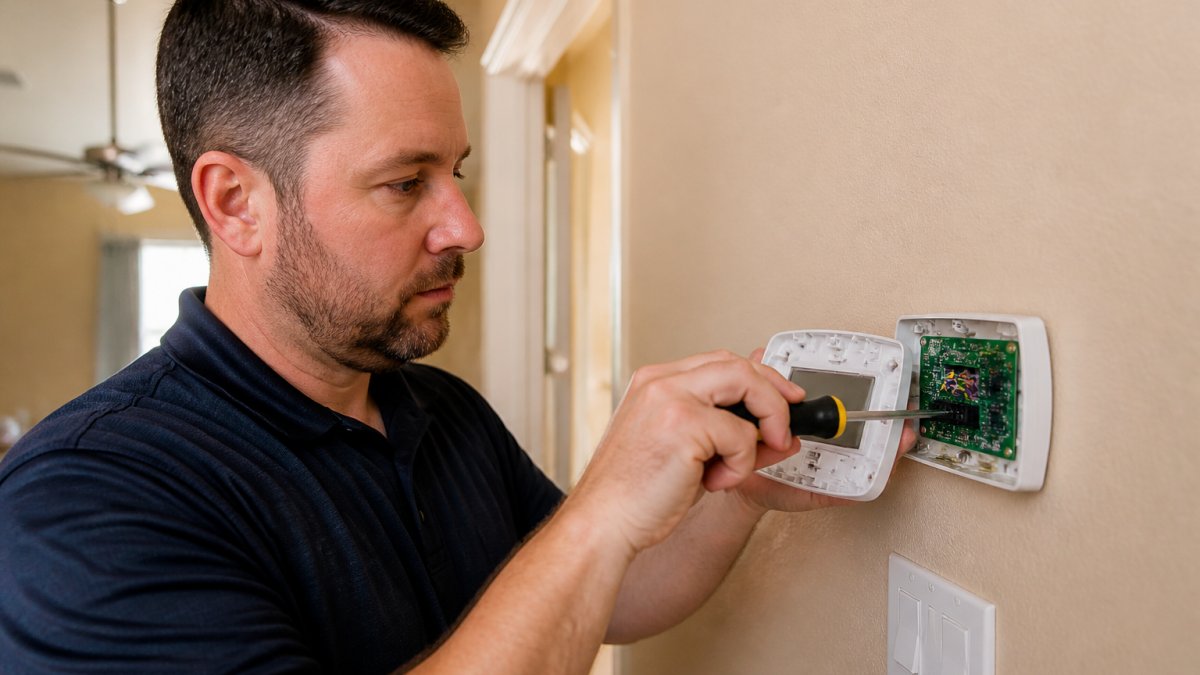
Loose connections at the thermostat base are another common culprit. With the power off at the breaker, check that the wires sit firmly in their terminals.
Blank Thermostat Display: Power and Battery Checks
A blank thermostat display almost always means lost power or dead batteries.
If your thermostat pulls power from the system (no batteries), a blank screen points to a blown fuse at the air handler or a tripped breaker. Check the low-voltage fuse on the control board.
Here is the quick order:
- Replace batteries if your model uses them.
- Check the breaker at the panel.
- Inspect the low-voltage fuse on the air handler board.
If the display comes back but the system still will not cool, move on to the next section.
Thermostat Temperature Reading Wrong: Calibration and Placement
A thermostat reading the wrong temperature runs the system at the wrong times, short-cycles the compressor, and leaves rooms uncomfortable. Before assuming the unit is failing, separate the two causes: where the thermostat sits, and how accurately its sensor reads the air. Placement problems are far more common than failed sensors.
Placement Problems That Skew the Reading
A thermostat measures the air around its own case, not your home's average. Anything that heats or cools that pocket throws off the reading:
- Direct sun through a window. A west- or south-facing window can bake a wall-mounted thermostat every afternoon, so the AC runs flat out while the rest of the house overcools.
- Supply registers and returns. A thermostat near a supply vent reads air that just left the coil; one near a return reads air that just left the room. Both skew the number.
- Lamps, TVs, and kitchen heat. A nearby floor lamp, wall-mounted TV, or kitchen-side doorway adds heat the sensor cannot distinguish from room temperature.
In desert homes with large west-facing glass, afternoon solar gain is the single most common cause of a thermostat that reads high. A cheap fix is a blackout shade or solar screen on that window; a better fix is relocating the thermostat or adding a remote sensor.
How to Test the Reading Against a Reference Thermometer
A reliable digital room thermometer is enough:
- Set the reference thermometer a few feet from the thermostat, at the same height, out of direct sun and away from vents.
- Leave both undisturbed for at least 15 minutes.
- Compare the readings at the same moment.
A gap of a degree or two is normal. A consistent gap of several degrees, especially one that grows during sunny hours, points to placement or calibration rather than a failing unit. Repeat the test in the morning and late afternoon; a gap that only appears in the afternoon is a sun-exposure problem, not a sensor problem.
Using the Calibration Offset
Many modern thermostats include a calibration or temperature-offset setting in the installer or advanced menu. The offset nudges the displayed temperature to match your reference reading.
Call (702) 707-4242 for a free estimate →
Two cautions. First, an offset corrects the number, not the underlying cause; if the unit sits in a sunbeam, you are papering over a placement problem. Second, do not chase a perfect match, an aggressive offset can make the system short-cycle.
AC Not Cooling Troubleshooting: Filters, Coils, and Airflow
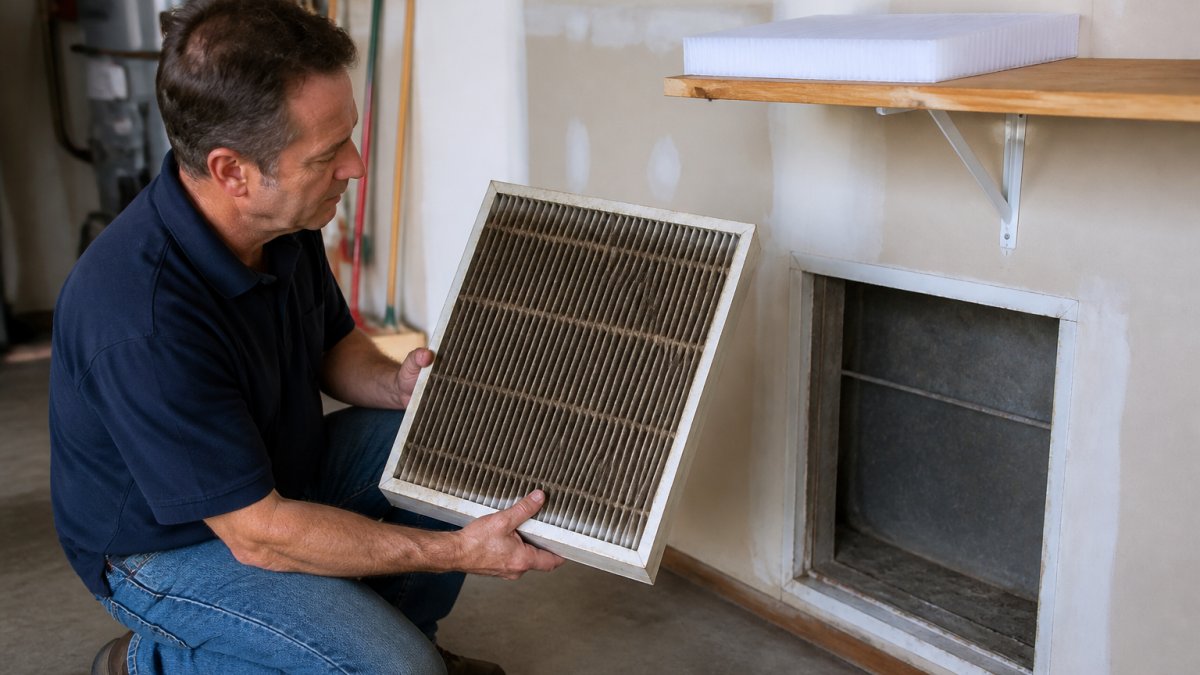
When the thermostat is working but the house stays warm, the problem usually lives in the airflow path. AC not cooling troubleshooting starts with the filter, because a dirty filter is the most common and cheapest fix in any home.
Filters, Vents, and Return Airflow
A clogged filter chokes airflow (HVAC Proper Installation of Filters). The system runs longer, cools less, and strains the blower. In a dusty desert climate, filters load up faster than most homeowners expect.
Then walk the house and confirm the vents are open and not blocked by furniture or rugs. Weak airflow at the registers often traces back to a crushed or disconnected duct in the attic.
Ice on the Coils and Outdoor Unit Checks
Ice on the indoor coil or the refrigerant lines means the system is running low on airflow or low on charge. Turn the system off at the thermostat and let the ice melt before you do anything else.
Outside, clear leaves and debris from around the condenser. Check that the fan spins freely and the unit is not packed with dust. If ice returns after it melts, stop and call a technician.
Smart Thermostat Connectivity and C-Wire Configuration
Smart thermostats fail for two reasons more than any other: they lose their connection, or they never had the wiring to run reliably. A unit that drops off Wi-Fi but still controls the system has a network issue; a unit that reboots, flickers, or shows a low-power warning has a power issue.
Connectivity: An Ordered Diagnostic
When the app shows the thermostat offline, work in this order:
- Check the thermostat screen. If it is dark or rebooting, this is a power problem, not a network problem. Skip to the wiring section.
- Check your home network. Confirm other devices on the same Wi-Fi are online. If the router rebooted or the password changed, the thermostat will not reconnect on its own.
- Confirm the thermostat is on the right network. Many units only support 2.4 GHz. A router that merged 2.4 and 5 GHz into one name, or a guest network with client isolation, can block the thermostat even when the phone connects fine.
- Re-run the pairing steps in the manufacturer's app.
- Check for firmware updates. A thermostat that worked for months and then misbehaves after a router or app update often needs a refresh.
- Review schedules, geofencing, and modes. An "away" schedule, a geofence that thinks nobody is home, or an eco mode left on will hold the set point even though the app looks connected, the most common "my smart thermostat won't cool" call that turns out to be a setting, not a fault.
If the thermostat is online and responding but the system will not run, the problem is downstream of the smart controls. Move to the settings, breaker, and airflow checks elsewhere in this guide.
The C-Wire and Power-Stealing Behavior
A C-wire, or common wire, provides a steady low-voltage return path that powers a smart thermostat continuously. Without one, many smart thermostats "steal" power through the other wires, cycling the equipment briefly to recharge, a trick that works on some systems and fails on others. Symptoms of an inadequate C-wire:
- Random reboots or screen flicker
- Dropping off Wi-Fi and rejoining on its own
- Low-power or "no C-wire" warnings in the app
Compatibility Checklist Before You Buy or Swap
Before replacing a thermostat, confirm the following, getting these wrong is how DIY installs end in a no-cool call:
- Count the wires at the old thermostat base. Note the terminal letters and photograph the wiring before disconnecting anything.
- Confirm whether a C terminal is present and actually connected at the air handler. A blue wire at the thermostat that is not landed at the control board does nothing.
- Identify your system type. Heat pumps, dual-fuel setups, and systems with auxiliary or emergency heat need thermostats configured for them; a standard thermostat wired to a heat pump can run the wrong stage.
RTS Comfort Cooling & Heating installs smart thermostats and verifies the wiring and configuration so the unit works with your system, not against it. If you tried a DIY install and gave up on a wire issue, we can sort out the C-wire and get it running.
When to Stop and Call an HVAC Professional
Stop troubleshooting and call a licensed technician when you see any of these:
- A breaker that trips again after one reset
- Burning smells or scorch marks at the panel or thermostat
- Ice that returns after melting
Refrigerant handling is regulated, and line-voltage work is dangerous. In Las Vegas heat, a system that stays down can push indoor temperatures to unsafe levels fast, especially for older adults and pets.
RTS Comfort Cooling & Heating runs 24/7 emergency service for exactly this reason. When a heatwave hits and your system quits at midnight, we answer. Call (702) 707-4242 for a free estimate.
Frequently Asked Questions
How do I know whether a thermostat problem is actually an AC problem?
Start at the thermostat and work outward. If the display is blank, the batteries are dead, or the mode is set to heat or fan-only, the thermostat is the likely culprit. If the thermostat shows a normal reading and clicks or signals when you lower the set point, but the outdoor unit never starts, the fault is usually in the AC itself: a tripped breaker, a clogged filter, a frozen coil, or a failed contactor. A technician can confirm with voltage and refrigerant readings.
Why does my thermostat display go blank?
A blank thermostat display usually means lost power or dead batteries. On battery-powered models, replace the batteries and check the polarity. On hardwired models, the thermostat draws power from the air handler through the C-wire, so a tripped breaker, a blown low-voltage fuse, or a loose wire at the control board will blank the screen. In Las Vegas heat, a thermostat on an exterior wall can also overheat and shut down its display. Check the breaker first, then the wiring.
Will the AC run if the thermostat is bad?
Sometimes, but not reliably. A thermostat with a failed relay or a stuck contact can leave the blower running continuously with no cooling, or the outdoor unit can short-cycle. If you set the thermostat to cool and drop the set point several degrees below room temperature and nothing happens within a few minutes, the thermostat or its wiring is suspect. A technician can jumper-test the thermostat to confirm whether it is sending the call for cooling.
When should I call an HVAC technician about a thermostat issue?
Call a professional if you have checked the batteries, breaker, mode, and filter and the system still will not cool, if you see ice on the indoor coil or refrigerant lines, if you smell burning at the thermostat or air handler, or if the thermostat wiring shows scorch marks. In Las Vegas summer heat, indoor temperatures can climb fast, so do not wait more than a few hours. RTS Comfort Cooling & Heating offers 24/7 emergency service at (702) 707-4242.
A thermostat that will not cooperate in desert heat is more than an inconvenience. It is a countdown. If you have worked through the checks above and the system still will not cool, RTS Comfort Cooling & Heating can take it from there with 24/7 emergency service, professional smart thermostat installation, and full HVAC repair. Call (702) 707-4242 for a free estimate and get your home cooling again.